
Product Installation Guide
ABB NTCL01 Module Parameter Settings and Debugging Steps Guide
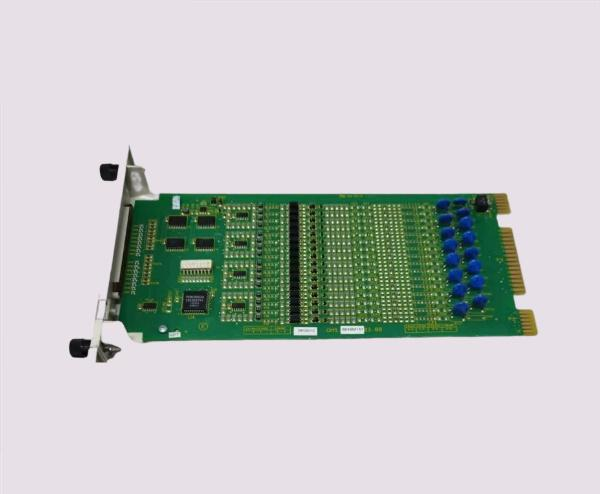
Dec
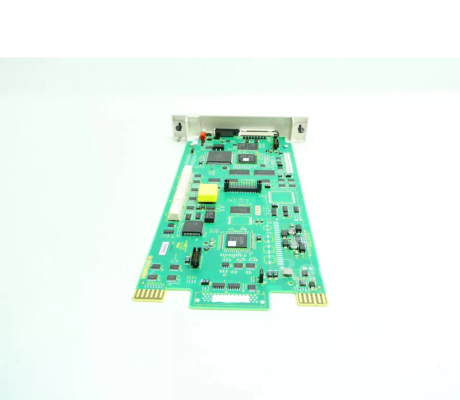
ABB NTCL01 Module Parameter Setup and Debugging Guide
The ABB NTCL01 module is a high-performance digital input/output and communication module widely used in industrial automation systems. Proper configuration and debugging are crucial for achieving reliable process control, deterministic communication, and optimal performance across multiple industries, including power generation, chemical, pulp & paper, and advanced manufacturing. This guide provides step-by-step instructions for parameter settings, module setup, and troubleshooting, ensuring seamless integration with ABB control systems.
Overview of the ABB NTCL01 Module
The NTCL01 module functions as a bridge between field devices and control systems. It enables real-time digital communication with minimal latency and supports INFI-NET and Ethernet-based networks. Key functionalities include:
-
Accurate digital input/output management
-
Deterministic and high-speed data communication
-
Fault detection and redundancy support
-
Seamless integration with ABB DCS platforms
Correct setup and parameter configuration are essential to fully leverage these features, ensuring consistent performance and operational safety.
Key Parameter Settings
Communication Protocol
-
INFI-NET or Ethernet: Select the protocol that matches the control network.
-
Network Address and Subnet: Assign unique addresses to prevent conflicts.
-
Data Transmission Speed: Configure according to network requirements.
-
Timing and Synchronization: Set sampling intervals for deterministic communication.
Digital Input/Output Configuration
-
Input Channels: Define normal, inverted, or filtered modes.
-
Output Channels: Set default states and fail-safe options.
-
Channel Testing: Verify that inputs and outputs respond correctly before deployment.
Redundancy and Fault Detection
-
Enable Redundant Paths: Configure primary and backup communication channels.
-
Fault Detection Parameters: Set thresholds for input validation and output monitoring.
-
Error Reporting: Ensure alarms and alerts are correctly linked to control systems.
Step-by-Step Configuration Guide
Step 1: Initial Setup
-
Install the module in the designated rack or chassis.
-
Connect to the control network using INFI-NET or Ethernet.
-
Power on the module and verify LED status indicators.
Step 2: Access Configuration Interface
-
Use ABB engineering software, such as Control Builder or 800xA Tools.
-
Open the NTCL01 module in the hardware tree to access parameter settings.
Step 3: Configure Network and Communication
-
Assign network address, subnet, and communication speed.
-
Test connectivity with the central controller.
-
Enable redundancy and verify failover mechanisms.
Step 4: Set Input/Output Parameters
-
Activate required channels and configure modes.
-
Set default output states and safety options.
-
Test each channel for accurate signal processing.
Step 5: Synchronize Timing
-
Adjust sampling intervals and synchronization with central controller.
-
Ensure deterministic communication is achieved for all channels.
Troubleshooting and Debugging
Common Issues
-
Communication Failures: Check network settings, cables, and protocol selection.
-
Incorrect Input/Output Signals: Verify channel modes and filtering options.
-
Redundancy Failover Errors: Test backup paths and adjust failover timing.
Diagnostic Tools
-
ABB Control Builder or 800xA Diagnostics
-
Network analyzers for latency and signal integrity
-
LED status indicators on the module
Troubleshooting Steps
-
Isolate network or device issues by direct connection to the controller.
-
Compare real-time data with expected signals.
-
Adjust parameters iteratively until stable performance is achieved.
Best Practices
-
Keep firmware updated for optimal performance and compatibility.
-
Use shielded cables and proper grounding to reduce electromagnetic interference.
-
Maintain configuration backups for quick restoration.
-
Regularly monitor module health and system diagnostics.
-
Document all parameter changes for version control and auditing.
Conclusion
Proper configuration and debugging of the ABB NTCL01 module is essential to unlock its full potential in industrial automation systems. By following this guide, engineers can ensure reliable communication, accurate digital signal processing, and safe, efficient operation across multiple industries. The NTCL01 module not only improves process control but also supports redundancy, fault detection, and system scalability, making it a cornerstone for modern automation solutions.
